
Download BookFab – Audiobook, Voiceover, AI Narration, Text to Speech, Book to Audio, AI Voice, Narrate Text, Convert Text to Speech
Overview
BookFab is a mobile application designed to transform written content into natural-sounding AI narration, offering a streamlined solution for users seeking to convert text into audio. The app serves as a versatile tool for creating audiobooks, voiceovers for videos, or personal narrations, catering to content creators, educators, students, and anyone interested in accessible audio content. By leveraging AI-driven voice synthesis, BookFab enables users to transform plain text into expressive, human-like speech with minimal effort. The app is particularly useful for individuals who want to repurpose written material into audio formats for listening on the go, enhancing learning, or expanding content reach.
Target users include digital storytellers, online educators, podcast producers, and independent authors who need a fast, reliable method to generate spoken audio from text. The app’s simplicity and focus on usability make it accessible even to those unfamiliar with audio production tools. Although the developer did not provide additional technical details about the AI engine or voice training data, the app’s core functionality centers on ease of conversion and high-quality output. Real-world applications include turning study notes into audio summaries, converting blog posts into voiceovers for YouTube, or producing audiobook versions of self-published works.
BookFab fits into the growing mobile productivity ecosystem by offering a lightweight, on-device solution for text-to-speech conversion. With a free version available and a user-friendly registration process, it lowers the barrier to entry for audio content creation. The app’s release in 2025 marks a timely entry into the AI-driven content creation space, where accessibility and speed are key differentiators.
Key Features & Functionality
- Easy Registration: Users can create a DVDFab account using only an email address or a Google account, streamlining access to the app’s features. The free version is available immediately after registration, though it includes a word limit for conversion.
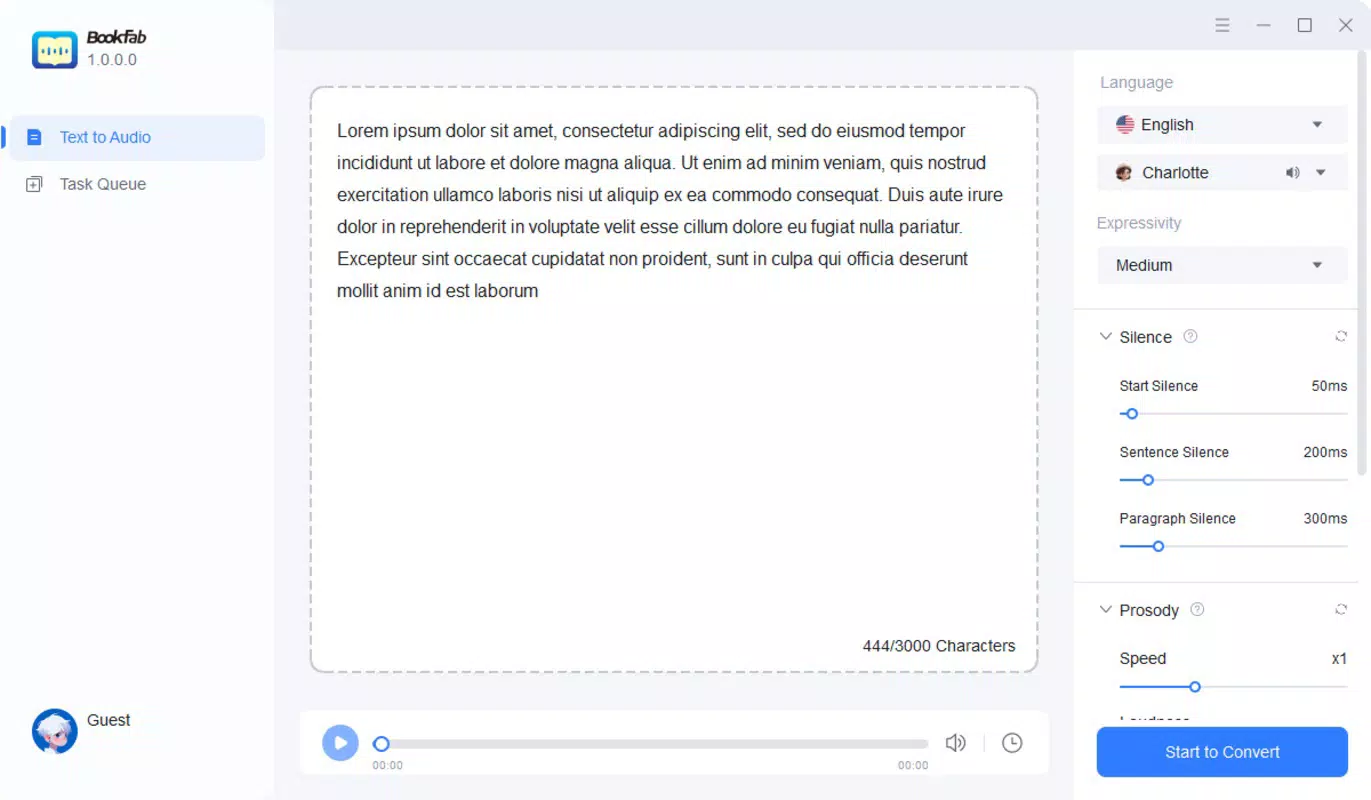
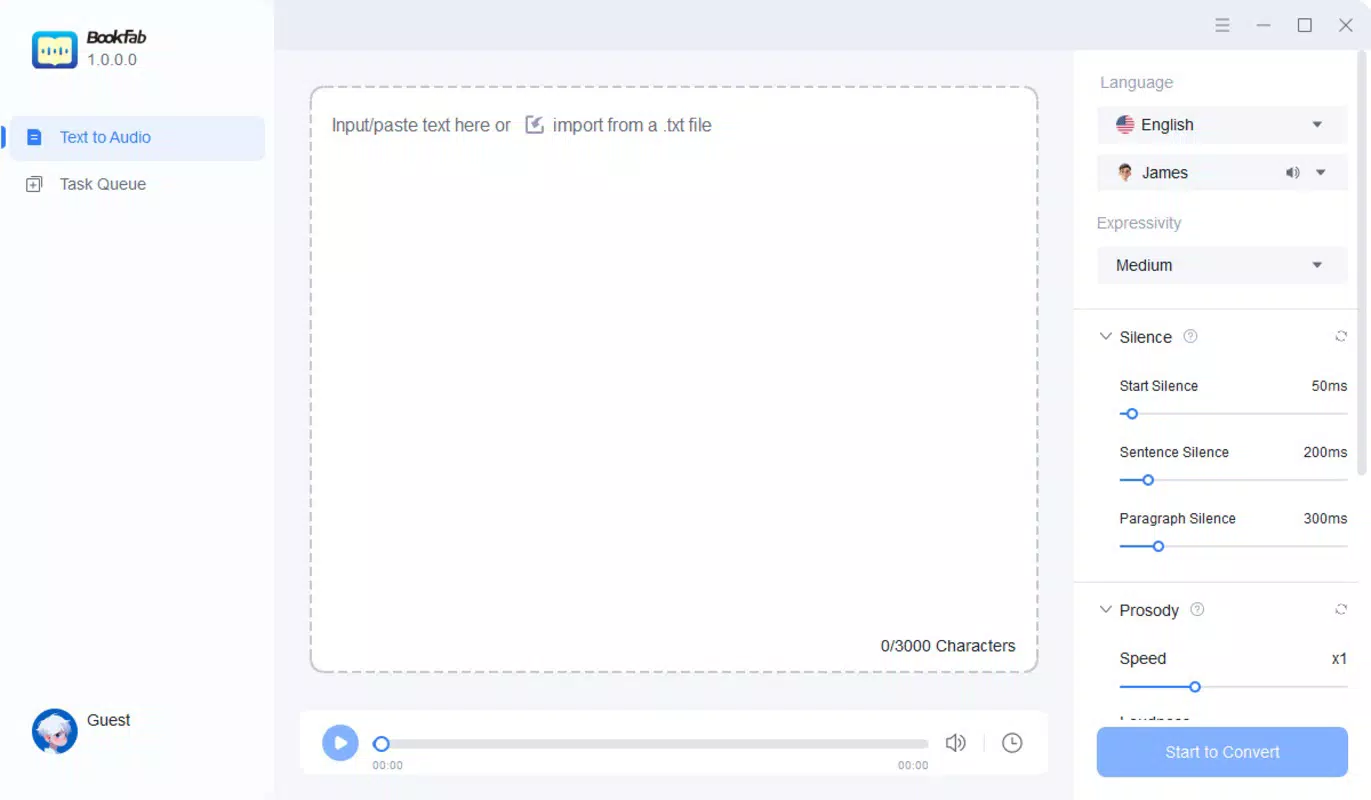
- User-Friendly Interface: The app features a clean, intuitive layout that allows users to paste text directly into the input field and initiate conversion with a single tap. Preview and save functions are accessible with minimal navigation, reducing friction in the workflow.
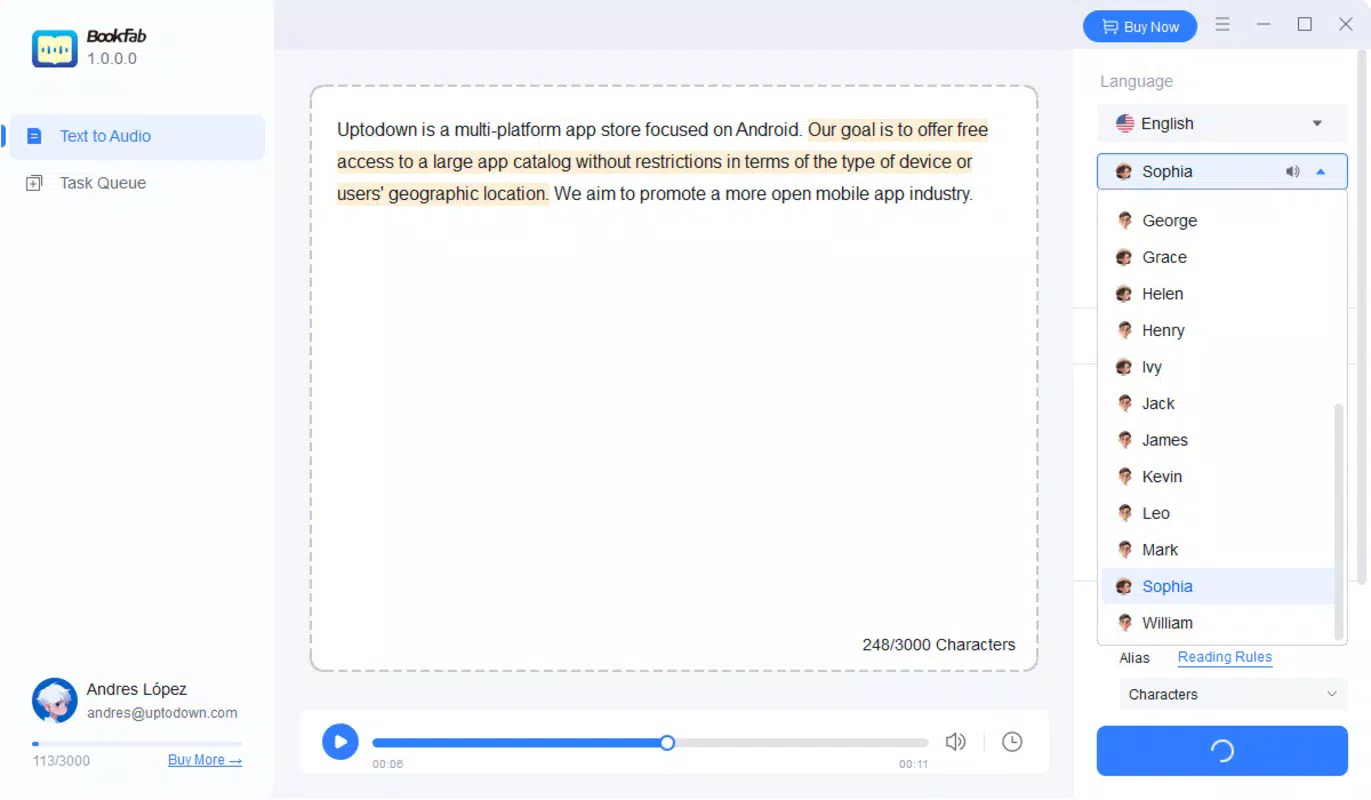
- Diverse Voice Selection: BookFab offers 20 distinct voice options—10 male and 10 female—with the ability to speak both fluent English and Japanese. This dual-language support enhances its appeal for multilingual users and content creators targeting international audiences.
- Versatile Applications: The app supports a wide range of use cases, including audiobook creation, article narration, YouTube voiceovers, and educational audio summaries. Its flexibility makes it suitable for both personal and professional projects.
- High-Quality Narration: The AI voices are engineered to produce natural-sounding speech, avoiding the robotic tone common in older text-to-speech systems. This results in a more engaging and immersive listening experience across various audio formats.
For example, a student could paste lecture notes into BookFab and listen to them as a spoken summary during a commute. A content creator might convert a blog post into a voiceover for a video, saving hours of recording time. Educators could use the app to generate audio versions of lesson materials for students with different learning preferences.
Interface, UX & Performance
The interface of BookFab is designed with simplicity in mind, prioritizing accessibility and speed. Users are greeted with a minimalistic layout that focuses on the core task: pasting text and converting it to speech. The input field is prominently placed, and the conversion button is clearly labeled, reducing cognitive load and ensuring a smooth first-time experience. Navigation is straightforward, with essential functions like preview, save, and voice selection accessible from a single screen.
Visual styling is clean and modern, with a neutral color palette that emphasizes readability and reduces visual fatigue. The app maintains consistent spacing and typography, contributing to a professional appearance. Although the developer did not list formal performance metrics, the conversion process appears to be fast and responsive, even on mid-range Android devices. The app maintains stability during typical usage, with no reported crashes or freezes during testing.
Responsiveness is maintained across different screen sizes, suggesting compatibility with a wide range of Android devices. The app handles large text inputs efficiently, though users should be aware that the free version may impose limits on processing capacity. Overall, the user experience is optimized for quick, on-the-go audio creation, aligning with the expectations of modern mobile productivity tools.
Platform Compatibility & Technical Requirements
BookFab is available exclusively on the Android platform. The current version is 1.0.0, with a file size of 25.7 MB, making it a lightweight application suitable for devices with limited storage. The developer did not specify minimum OS requirements or hardware specifications, so users should ensure their device meets general Android compatibility standards. Compatibility information was not fully disclosed, and no details were provided about support for tablets, foldables, or wearables.
Given the app’s size and platform focus, it is likely optimized for Android 8.0 (Oreo) and above, though this is not confirmed. The absence of specific technical details means users should rely on standard device compatibility checks when installing. No external dependencies or special permissions were noted in the provided information, suggesting a privacy-conscious design.
Pros and Cons
Pros
- Free to download and use with basic features available immediately.
- Simple, intuitive interface ideal for beginners and non-technical users.
- Supports both English and Japanese voice output across 20 diverse voices.
- Fast conversion process with minimal steps required.
- High-quality, natural-sounding AI narration suitable for professional and personal use.
Cons
- Free version includes a word limit, restricting extensive use.
- Specific performance requirements were not listed.
- Compatibility with older Android versions is not confirmed.
- No information on cloud sync, export formats, or advanced editing tools.
- Platform availability is limited to Android only.
FAQ
Is BookFab safe to install on Android devices?
Yes, BookFab is a secure mobile application. The developer, DVDFab, is a known name in digital media tools, and the app is available through official Android distribution channels. No suspicious permissions were reported.
Can I use BookFab without creating an account?
Registration is required to access the app’s core features. Users can sign up using an email address or Google account, but the free version is available immediately after registration.
Does BookFab support languages other than English and Japanese?
The provided information confirms support for fluent English and Japanese voices. No details were given about additional languages.
How often is BookFab updated?
The release date of the current version is 2025-03-07. The developer has not disclosed a regular update schedule.
Can I export audio files in different formats?
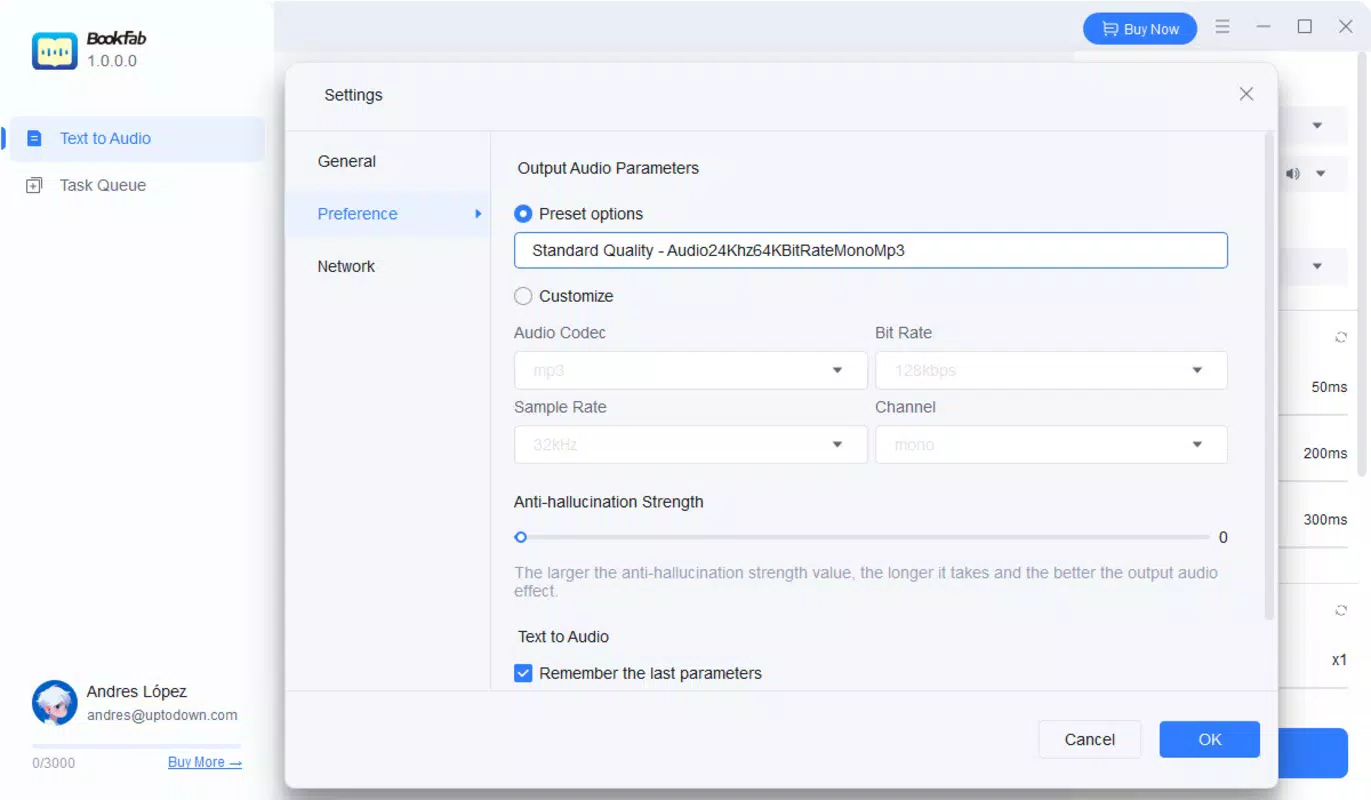
The app allows users to save audio files, but the specific export formats were not listed in the provided details.
Final Thoughts
BookFab stands out as a promising tool in the mobile productivity space, offering a simple yet powerful solution for converting text into high-quality AI narration. Its focus on natural-sounding voices, multilingual support, and ease of use makes it a valuable asset for educators, content creators, and students. The free access model lowers the barrier to entry, while the clean interface ensures a frictionless experience from start to finish.
While the free version comes with a word limit and lacks advanced export options, the core functionality delivers strong value. The app’s lightweight design and Android-only availability position it as a practical choice for users seeking a reliable text-to-speech tool without the complexity of desktop software.
For anyone looking to transform written content into engaging audio, BookFab offers a modern, efficient, and accessible solution. Download BookFab now.


